

OSHA ergonomic home office checklist requirements in 2024 are critical for any HR, EHS, or People Operations leader trying to protect remote workers, limit liability, and avoid preventable injuries—even without a big ergonomics budget or on-site experts. Getting this right means fewer MSD claims, happier teams, and real compliance. This is your direct, actionable guide.
Key Takeaways
- OSHA’s 2024 rules: No new home-office standard, but employers must identify and fix ergonomic hazards at home under the General Duty Clause. You need a documented process, not just wishful thinking. (Source: OSHA)
- Why it matters: “Roughly 60% of U.S. remote or hybrid employees have experienced work‑related musculoskeletal discomfort since the shift to widespread work‑from‑home; prevalence rates: neck 45–60%, lower back 40–55%, shoulder 30–50%.” (Research Findings 2024)
- What to do now: Use the prioritized OSHA ergonomic home office checklist, focus on the 3 compliance areas others skip, set practical equipment stipends, and document every step. Download the checklist PDF and get moving.
- OSHA in 2024 — what employers actually need to know
- How common are ergonomic problems among remote workers?
- Most frequent employee complaints when trying to create an OSHA compliant work from home setup
- The complete OSHA ergonomic home office checklist (actionable, prioritized)
- Three high‑impact checklist items competitors often miss (the opportunity)
- Product specifications that matter for real compliance (practical thresholds)
- Cost to equip an OSHA-compliant home office in 2024 (budget ranges + stipend guidance)
- Legal and employer liability risks — what failing to provide a checklist can cost you
- Quick step‑by‑step implementation roadmap (30/60/90 day)
- Measurement, reporting and continuous improvement
- Resources, templates and recommended vendors (practical takeaways)
- Conclusion & recommended next step for readers
- FAQ: OSHA Ergonomic Home Office Checklist
OSHA in 2024 — what employers actually need to know (unique insight)
In 2024, OSHA still does not have a dedicated ergonomic rule for home offices. Instead, the OSHA compliant work from home setup you must implement falls under the General Duty Clause: you’re required to keep ALL workplaces—including remote ones—free of recognized hazards like poor ergonomics and preventable MSD risks. “OSHA’s 2024 guidance does not include a dedicated ergonomic standard for home‑office work but extends the agency’s General Duty Clause and Office Ergonomics recommendations to telework settings.” (Research Findings 2024)
What this means: as an employer, you need to (1) assess home workstations for ergonomic risks, (2) train remote workers on set-up and posture, (3) maintain records of hazards found and fixes provided, and (4) prove you’re making good-faith efforts to prevent MSDs. Ignoring at-home setup isn’t just a risk for workers—it boosts legal and insurance liability.
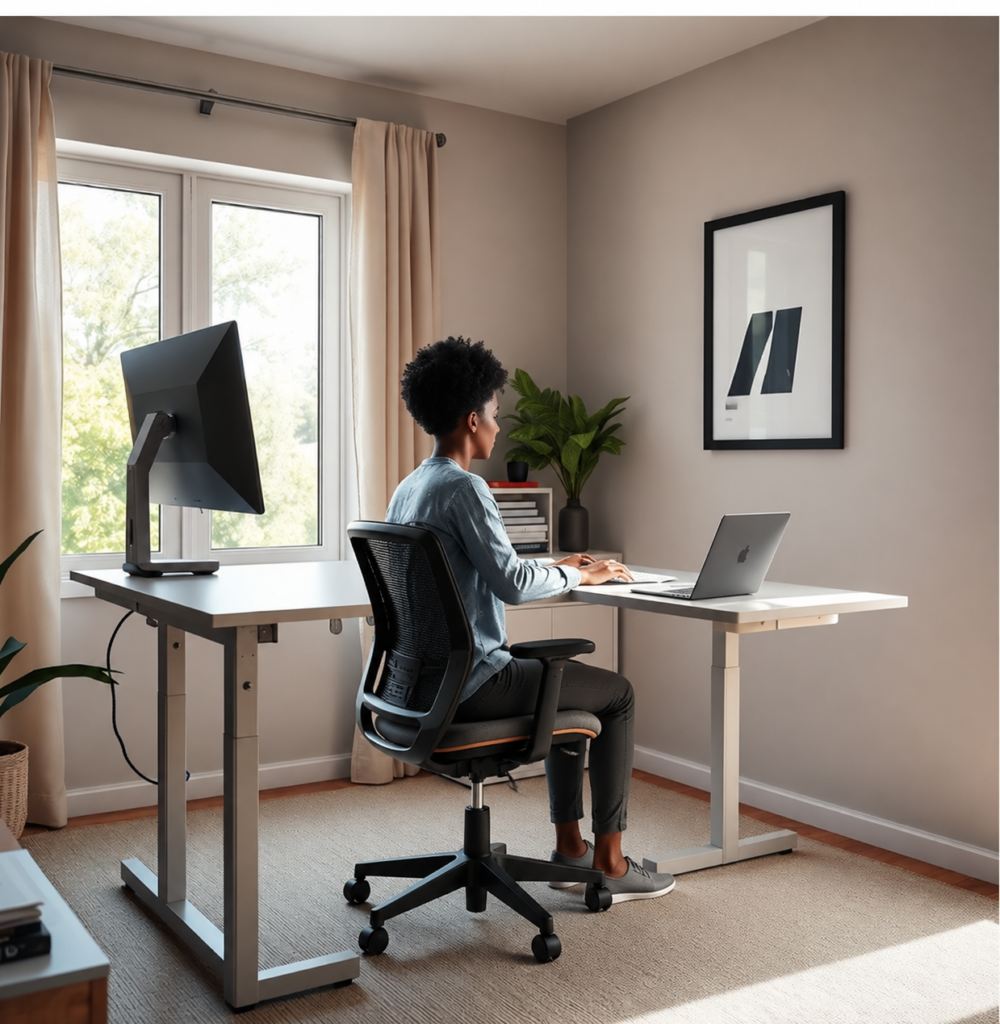
How common are ergonomic problems among remote workers?
The prevalence of musculoskeletal disorders (MSDs) among remote workers is high—and justifies urgent action. According to Research Findings (2024): “Roughly 60% of U.S. remote or hybrid employees have experienced work‑related musculoskeletal discomfort since the shift to widespread work‑from‑home; prevalence rates: neck 45–60%, lower back 40–55%, shoulder 30–50%.”
Translate that to your team: If you have 100 distributed workers, MORE THAN HALF will experience preventable pain—often silently risking time away from work and higher workers’ compensation costs. MSD claims represent about one third of all U.S. lost workdays annually (Source: VelocityEHS).
Most frequent employee complaints when trying to create an OSHA compliant work from home setup
Rolling out an OSHA compliant work from home setup is about more than just emailing a checklist. The “most frequently reported challenges are inadequate or non‑adjustable furniture, prolonged laptop use without external monitors, insufficient breaks and movement, poor lighting and eye strain, and makeshift workspaces such as kitchen tables, couches or beds that force awkward postures.” (Research Findings 2024)
- Non-adjustable chairs or desks: Kitchen/dining chairs and static desks lead to slouched posture and back pain. See how to choose an ergonomic office chair for back pain.
- Laptop-only setups: Using a laptop with no external monitor or keyboard puts you at high risk of neck, shoulder, and wrist strain. Adding an ergonomic laptop stand and external devices is essential.
- Poor movement habits: At home, people tend to skip micro-breaks or natural movement built into traditional offices (walking to printers, meetings, etc.). This causes sustained muscular load, especially in the lower back and neck.
- Lighting and glare: Insufficient lighting or pothole glare on screens increases eye strain and headaches. Proper lighting—plus optional monitor light bars—is crucial.
- Makeshift workspaces: Sofas, beds, and kitchen tables are not workspaces. These postures encourage static loading, rounded backs, and quick onset of discomfort. Reimbursement policies should specifically exclude these setups for safety.
The complete OSHA ergonomic home office checklist (actionable, prioritized)
Below is your prioritized, actionable “OSHA ergonomic home office checklist” based on 2024 guidance. Use it to guide assessments, policy, and stipends. Every point includes the action, a how-to, a sample measurement/spec, and why it matters.
| Priority | Item/Control | How to Check/Implement | Spec/Example | Why—Tie to MSD Reduction |
| Must-Do | Assessment (virtual/on-site) | Use checklist with photos/video | Initial & annual review | Identifies risks and informs fixes |
| Must-Do | Adjustable Chair | Require seat height/lumbar adjustment | Seat 16–21″, lumbar depth 1–2″ | Supports neutral spine, reduces slouching |
| Must-Do | External Monitor at Eye Level | Monitor top at/below eye height | Screen top 0–2″ below eye | Prevents neck flexion (neck pain) |
| Must-Do | External Keyboard/Mouse | Separate from laptop, shoulder width | Keyboard tray/desk, arms at sides | Reduces wrist/shoulder strain |
| Must-Do | Breaks/Micro-break Schedule | Prompted or scheduled reminders | Every 30–60 min: 2–5 min | Reduces static muscular load |
| Must-Do | Documentation | Retain assessment/hazard/fix records | File per-employee for 3 years+ | Proves due diligence, shrinks liability |
| Should-Do | Adjustable Desk/sit-stand desk | Desk height 27–47″ adjustable range | Sit/stand for fit; test pre-purchase | Allows postural change, reduces lower-back load |
| Should-Do | Monitor Riser/Arm | Adjustable height/depth; secure mounting | Range: 4–18″ high; swing arm reach 20–25″ | Ensures neutral vision line, limits eye/neck strain |
| Should-Do | Lighting/Anti-glare Tools | Indirect lighting, diffusers, screen bar | Light 300-500 lux, monitor anti-glare matte | Reduces headaches, improves focus |
| Should-Do | Keyboard Tray (if needed) | For high desks, negative tilt | Height below elbow, 0–-15° tilt | Keeps wrists neutral, prevents strain |
| Should-Do | Stipend Policy | Defined eligible equipment/proof needed | Reimbursement/form, $300–$800 typical | Ensures employees acquire correct setup |
| Nice-to-Have | Footrest | For employees with short/low feet contact | 2–6″ platform height, nonslip | Improves seated posture, blood flow |
| Nice-to-Have | Programmatic Training | Live/recorded ergonomic modules | Pre-board & annual refresh | Boosts engagement, early issue reporting |
Get our PDF version of this prioritized OSHA ergonomic home office checklist to use for assessments and onboarding: Download the printable checklist.
Three high‑impact checklist items competitors often miss (the opportunity)
Most guides miss three vital steps for a truly OSHA ergonomic home office checklist and a defensible OSHA compliant work from home setup:
- Formal documentation process
Don’t stop at assessments—maintain assessment records and remediation logs per employee. This is your legal “paper trail” if questioned. Templates and policies should be reviewed annually. - Measurable product specs for equipment
Don’t allow “ergonomic chair” as a generic expense. Require clear adjustment ranges (height, lumbar, seat depth) and monitor/desk specs for all reimbursements (see office chair guide for details). Equipment must match the worker’s anthropometry. No one-size-fits-all. - Programmatic controls: training + enforced movement schedule
Issue calendar prompts for micro-breaks every 30 to 60 minutes, and make training mandatory for new and existing staff. Show your insurer (and OSHA) that hazards are addressed through more than just “one-time” gear delivery.
“OSHA … urges employers to conduct virtual or on‑site assessments, provide or subsidize adjustable chairs, desks, monitor risers and keyboard trays, train workers on neutral posture, regular micro‑breaks and workstation set‑up, and document that home workstations are free of recognized hazards.” (Research Findings 2024)
Product specifications that matter for real compliance (practical thresholds)
What makes an OSHA compliant work from home setup actually compliant? It’s the details. Don’t approve random products—set minimum thresholds:
- Chair: Seat height 16–21”, seat depth adjustment or range 16–19”, adjustable lumbar support (height/depth min 1”). 5-star base for stability. (More chair specs)
- Desk: Height adjustable: 27–47” range (suitable for sit/stand), sturdy, no bounce; top large enough for monitor arm and peripherals. Standing desk buying guide
- Monitor arm/riser: Range 4–18” high, depth/extension 20–25”, easily height-adjustable. See monitor arm tips
- Keyboard tray: Negative tilt 0-15°, depth accommodates full keyboard + mouse. Tray optional depending on desk height. See keyboard ergonomics advice
- Lighting: Min 300 lux, no direct glare. Monitor lamp or adjustable light bar can help. Monitor lighting tips
Tie these specs to purchase approval and self-assessment. No home setup is compliant unless it fits the individual’s body—and these numbers help you enforce that.

Cost to equip an OSHA-compliant home office in 2024 (budget ranges + stipend guidance)
What is the real-world budget for achieving OSHA compliance in home offices? Here are tested figures based on 2024 pricing:
- Minimum functional setup: $200–$350 per employee (basic chair, external keyboard/mouse, low-cost monitor riser)
- Average/typical employer stipend: $400–$800 per employee (mid-tier adjustable chair, monitor arm, external monitor, desk add-on, lighting upgrade)
- Full ergonomic outfitting: $900–$2,000+ (high-end chair, electric sit-stand desk, dual monitors, keyboard tray, premium lighting, footrest, accessories)
Best practice: Offer a tiered stipend ($300 starter, $500 if full assessment demonstrates need, $800+ on documented medical recommendation) OR provide a company-purchased kit with approved models. “OSHA urges employers to provide or subsidize adjustable chairs, desks, monitor risers and keyboard trays” (Research Findings 2024)—so document what you do, and make stipend eligibility clear.
Stipend types: (1) reimburse on proof of eligible purchase and fit; (2) direct company order/delivery; or (3) give access to a preferred vendor at pre-negotiated rates. Require a signed self-assessment of setup, and update annually.
Tying spend to the prevalence: when “60% of U.S. remote or hybrid employees have experienced work-related musculoskeletal discomfort,” the cost of one MSD claim ($7,000–$27,000+) dwarfs the small investment to prevent one (Source: Compliancy Group).
Legal and employer liability risks — what failing to provide a checklist can cost you
Many employers think “if OSHA isn’t inspecting homes, there’s no risk.” This is a costly mistake. While OSHA rarely inspects homes, the General Duty Clause still applies. If an injury happens and you ignored risks or offered no support, you face:
- Workers’ compensation claims for preventable MSDs
- Increased insurance premiums due to higher claim frequency (Winter-Dent, 2025)
- Potential OSHA citations if you can’t show risk controls
- Legal exposure due to lack of documentation of assessments or hazard remediation
Mitigation means: formal written policy, documented workstation assessments, training records, and clear proof you offered or subsidized necessary ergonomic equipment. “There is no dedicated OSHA ergonomic standard for home‑office work; employers are still expected to address recognized hazards under the General Duty Clause.” (Research Findings 2024)
Quick step‑by‑step implementation roadmap (30/60/90 day)
Busy HR or EHS? Here’s a realistic rollout plan to launch your OSHA ergonomic home office checklist program now:
- Days 1–30: Set policy and communications, announce stipend or preferred equipment process, roll out the assessment self-checklist (see PDF template below). Identify pilot group for assessment.
- Days 31–60: Pilot assessments (virtual or photo-based), review findings, approve equipment upgrades, kick off short ergonomics training for all remote/hybrid staff (live or on-demand module).
- Days 61–90: Complete documentation system (keep assessment records, equipment proof, injury/discomfort survey), review and iterate. Establish metrics to track discomfort trends and costs.
Download ready-made templates to save time:
Measurement, reporting and continuous improvement
Track the program’s ROI and compliance via these KPIs:
- Percent of remote workforce who complete the initial and annual ergonomics self-assessment
- Self-reported discomfort/pain rates (baseline: “Roughly 60% of U.S. remote or hybrid employees have experienced work‑related musculoskeletal discomfort”—use this as your reduction target)
- Number and cost of MSD-related claims (workers’ comp, lost time)
- Percentage of remote staff trained on ergonomic best practices
Schedule reassessments annually or after any reported injury. Use trends to justify future stipend increases or program expansion. A drop in discomfort rates or time away from work provides a direct business case to leadership.
Resources, templates and recommended vendors (practical takeaways)
Official Guides:
Checklists and Templates:
- Download: 2024 Home Office Ergonomic Checklist (PDF)
- Sample Ergonomic Stipend/Form Policy
- Sample Virtual Assessment Script
Vendor Selection: Look for suppliers with
- Adjustable chair/desk fit demonstrably within spec ranges (see above table)
- Clear documentation/proof of product specs
- Trial/return policy and customer support
- References from companies similar to yours
For detailed buying guides, see:
ergonomic chair guide,
standing desks,
monitor arms,
ergonomic keyboards,
monitor light bars.

Conclusion & recommended next step for readers
MSDs and home-office injuries are not rare; “Roughly 60% of U.S. remote or hybrid employees have experienced work-related musculoskeletal discomfort…” (Research Findings 2024). That’s a huge operational and legal risk you can’t afford to ignore. Adopt the full OSHA ergonomic home office checklist, set up a stipend or approved equipment policy, and document every step. Download the one-page checklist PDF—or schedule a virtual home office assessment—and take real action today.
Ready to upgrade your compliance and protect your team? Download your OSHA ergonomic home office checklist PDF now
FAQ: OSHA Ergonomic Home Office Checklist
Does OSHA have a specific home office ergonomic standard in 2024?
No, OSHA has not created a dedicated home-office ergonomic standard. Employers must still control ergonomic risks at remote workstations using the General Duty Clause and existing Office Ergonomics guidance.
What is the most important part of an OSHA compliant work from home setup?
Prioritize assessment, documentation, and fit-tested equipment (adjustable chair, external monitor/keyboard) over “nice to have” gear. Missing the documentation process and proper fit will put you at legal risk even if you buy gear.
How much should our company budget for home office ergonomics stipends?
The average company stipend is $400–$800 per employee, with entry-level kits starting at $200–$350. More comprehensive setups go up to $2,000+. Tailor based on assessment, and document all spending.
What if an employee sets up their office on a couch or at the kitchen table?
Discourage makeshift workspaces by clarifying in your policy that stipend/equipment support is only for fitting an ergonomic setup with proper chair, desk, and monitor arrangement—not sofas or beds.
Can we be fined for not following the checklist if an injury happens at home?
Yes. If an employee is injured and you can’t prove you assessed risks and offered proper controls, OSHA and insurance providers may treat it as a preventable hazard. Documentation is your best defense.