

Desk cable management system buying decisions have never been more important,or more confusing than in 2024. If you want a tidy, safe, and flexible setup for your home office or hybrid workspace, understanding what matters before you buy will save you time, money, and plenty of frustration.
Key Takeaways
- Clamp mount under desk cable tray organizers now dominate for easy, non-invasive installs in rental and flex spaces—screw mounts and adhesives have serious tradeoffs.
- Measure everything before you buy: desk thickness, tray width for power strips, expected cable weight, and monitor arm clearance to avoid costly mistakes.
- Market growth means more options, but also more flimsy products—prioritize material quality, load capacity, and real-user compatibility stats for longevity.
- Why the market matters right now
- Step-by-step buying & installation guide
- Advanced analysis & common pitfalls
- Conclusion
- FAQ
Why the market matters right now
In 2024, demand for desk cable management systems hit an all-time high worldwide. The global desk-level cable management solutions market reached an estimated USD 27 billion, with a strong 7.9% CAGR expected through 2032 [1]. The under desk cable tray organizer segment alone was valued at USD 1.42 billion this year and is projected to nearly double by 2033, growing at 7.1% CAGR.
Why the surge? Several trends fuel this boom:
- Hybrid and remote work increasing the need for tidy, safe desk setups at home
- Proliferation of sit-stand desks, multiple monitors, and heavy power strips
- Landlords and office managers outlawing drilled or permanent modifications
- Safety compliance and aesthetics driving adoption in enterprises worldwide, especially in North America, Europe, and fast-growing Asia-Pacific sectors [2]
The result is rapid innovation in under desk cable tray organizer designs and mounting systems…but also more cheap, incompatible products hitting digital shelves. Choosing right now means understanding both features and real limitations before you buy.
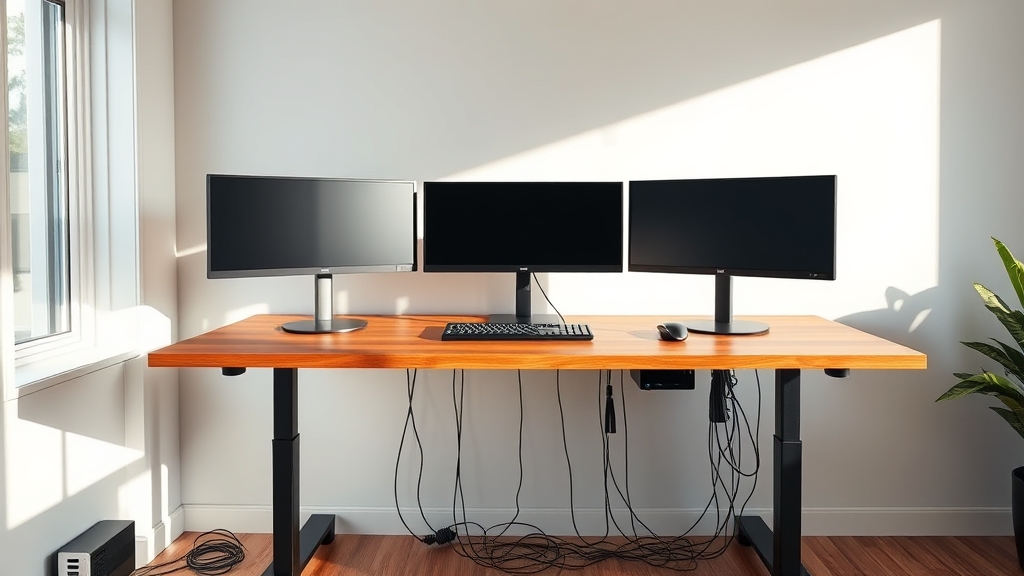
Step-by-step buying & installation guide
Ready to upgrade your desk cable management system for a safer, less cluttered workspace? Here’s exactly how to avoid common mistakes and land a setup that lasts.
- Measure your desk edge and workspace.
- Use a caliper, ruler, or tape measure to check your desk thickness (edge to underside), and note unusual profiles (metal lip, curved edges, interference).
- Measure tray clearance relative to grommet holes, sit-stand mechanisms, and monitor arm clamps.
- Map the front-to-back depth—power strips often demand at least 4″–6″ of tray width.
- Calculate your cable and device bundle weight.
- Add up the weight of your power strip, chargers, and main cable bundle; a digital kitchen scale helps.
- Target a tray rated for at least 30 lb (13.5 kg) if you have a full strip, adapters, and heavy cabling.
- Choose your installation type:
- Clamp mounts for non-invasive, tool-free setup; ideal for renters, adjustable and reusable see our cable management ROI guide.
- Screw mounts for maximum load and security (but require drilling).
- Adhesive mounts only for temporary setups or very light loads; avoid on textured or glass surfaces.
- Check for real tray compatibility—not just advertised ‘fits most desks’
- Review tray internal depth/width. Many budget units are too narrow for standard power strips (aim for at least 4.5″ of usable space).
- Check for flexible cable entry/exit routing—fixed holes can block thicker or bundled cables.
- Assess modularity if your desk is longer than 48 inches.
- Installation tips:
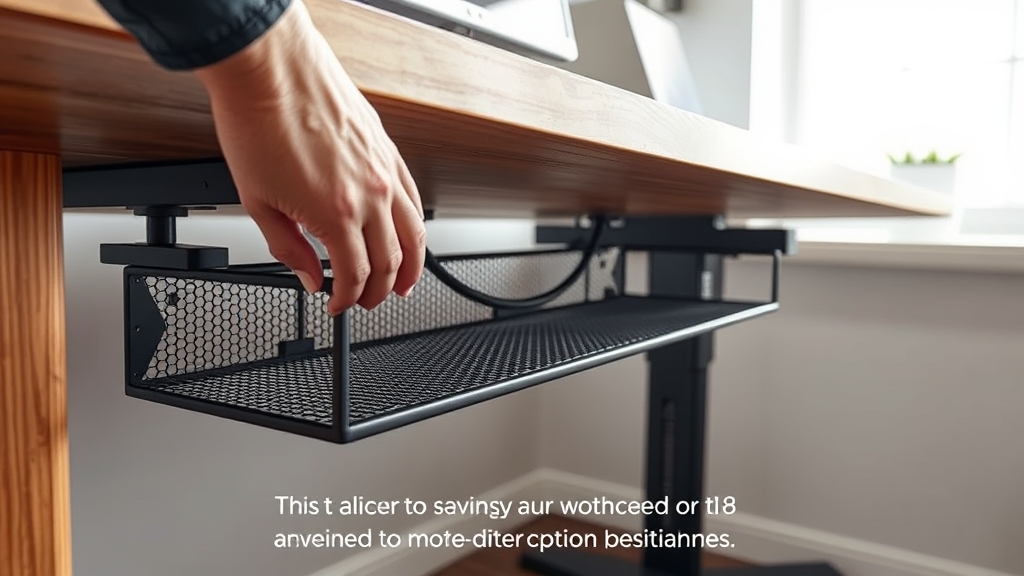
- For clamp mounts: Align on a flat section of desk, tighten gently until secure, and check for movement after adding cables.
- For screw mounts: Pre-drill pilot holes if needed, use provided template or measure carefully—know this is permanent!
- For adhesives: Clean the mounting surface very well, use additional zip ties or Velcro for safety. Do not overload.
For a deep dive on ergonomic product selection and setup harmony, see our guides on best ergonomic office chairs, standing desks for home offices, and standing desk converters.
Advanced analysis & common pitfalls
Not all desk cable management systems are created equal. Here’s what real users and market data show as repeat issues—and how to avoid them.
1. Top pain points from reviews
- Drilling required for screw mounts—prohibited in most rentals and much more work for the average home office.
- Clamp mounts that are too narrow or small for thicker desks or metal-edged desktops.
- Adhesive mounts frequently failing on glass, textured, or low-porosity surfaces, dropping trays and cables after a few months.
- Low-grade plastics bending, cracking, or sagging under normal load—especially with heavy power strips [5].
- Trays too shallow/narrow to fully hide a standard power strip; cables may spill out or remain visible.
- Designs interfering with monitor arms, sit-stand desk lift rails, or cable pass-throughs.
2. Comparison of installation types
| Type | Pros | Cons | Best For |
|---|---|---|---|
| Clamp mount | Tool-free, reusable, no drilling, suitable for renters, protects furniture, can be repositioned | May not fit thick/curved/metal edges, moderate max load, visible clamps if poorly designed | Leased offices, sit-stand desks, temporary/frequent reconfigurations |
| Screw mount | Permanently secure, highest load capacity, flush aesthetic, wide tray options | Requires drilling, voids warranties/rental terms, leaves holes, more time-consuming install | Ownership of furniture, heavy/long trays, fixed installations |
| Adhesive mount | Quick install, no tools, cheap, works on clean smooth wood/laminate | Low weight/tension limit, often fails on textured/glass/curved surfaces, not reusable | Student housing, ultra-light setups, low-stakes installs |
3. What top reviews consistently complain about
- “Needed extra screws; protrudes too far from desk”
- “Sagged after three months with just a basic power strip”
- “Clamp didn’t fit my desk edge”
- “Adhesive peeled off after a week”
- “Openings too small for my extension cord or network cable”
For a broader look at price bands and what materials deliver actual value, see this cable management price-performance review.
4. Price and material tiers—what to actually expect
- $10–$20 (budget kits): Thin plastic or basic mesh trays, adhesive or simple clamp. Great for light cables, but lowest durability.
- $40–$100 (solid/mesh trays): Sturdy metal, enhanced clamps, modular options, proper hiding. Most sit-stand desk users and office managers buy here.
- $100–$150+ (premium enclosures): Swing-open heavy metal boxes, commercial-grade trays, cable covers. Only needed for massive setups, but guaranteed to last.
Cheap plastics below $20 may crack and fail after only a few months, especially if devices or power bricks are heavy. Mesh and steel trays are worth every penny if you work at your desk daily or manage many hybrid seats.
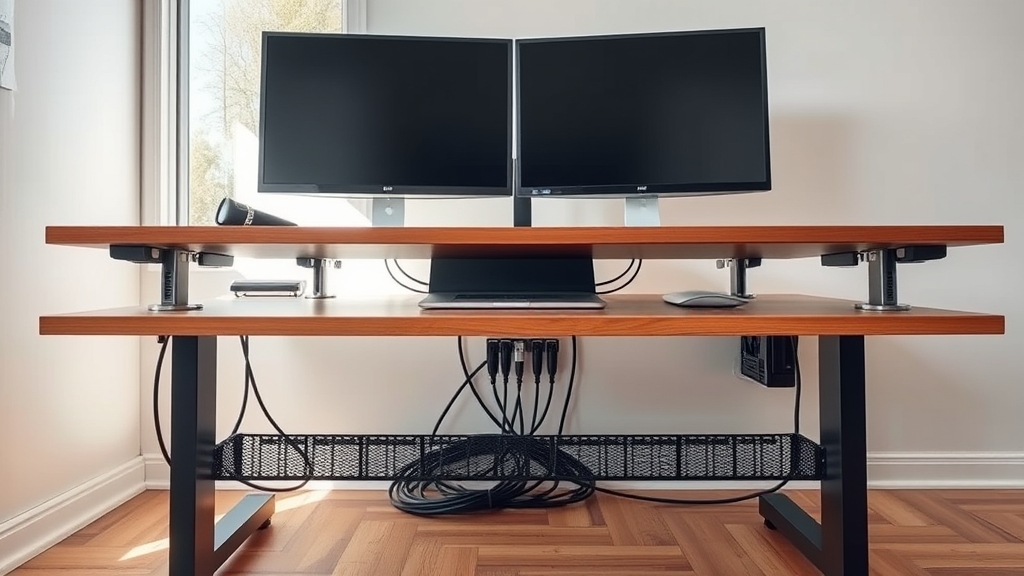
5. Three advanced buying checks: what most guides forget
- Clamp fit—measure your desk edge and check against manufacturer ranges: Many modern desks have curved or metal lips that standard clamps can’t grip. Always verify your edge profile matches clamp width and max opening. For more on measuring, see this large desk mat sizing guide.
- Weight capacity real-talk: Weigh your intended tray contents (power strip, notebooks, chargers) and choose a tray rated for at least 25% above that value. Never overload, even with steel trays.
- Monitor arms and sit-stand desk compatibility: Lay out where your monitor mounts, lift rails, and movement zones cross underneath. Modular trays are recommended for U-shape layouts and non-interference.
Want further reading on hybrid office ergonomics and manager tips? Explore our guides on ergonomic footrest choice and height-adjustable desk selection.
Conclusion
A great desk cable management system isn’t just about clipping up your mess; it’s a question of finding real compatibility for your equipment, your workspace, and your needs. Prioritize clamp mounts if you can’t drill, always verify fit and real load specs, and don’t skimp on materials if you want your setup to last. Ready for a clean, safe, and frustration-free desk? Start measuring, check those specs, and upgrade your under desk cable tray organizer today.
Want a more organized, productive office? See our deep-dive on proven cable management ROI strategies.
FAQ
What is the best mounting method for renters or leased offices?
Clamp mount under desk cable tray organizers are the best choice because they are non-invasive, require no tools, and won’t damage furniture.
Will a standard under-desk cable tray fit my power strip?
Not always—many trays are too narrow. Measure your power strip and check the tray’s internal width and depth before buying. Aim for at least 4.5 inches of usable width.
How much weight can most trays actually handle?
Budget trays often hold less than 20–25 lb. Look for trays rated above 30 lb if you have a full power strip and heavy adapters.
How do I avoid interference with my monitor arm or sit-stand desk?
Measure all clamp/hardware positions; place trays away from travel paths; use shorter or modular trays to fit around obstructions. Planning is key.
Is metal really worth the extra cost over plastic?
Yes—metal or mesh trays are far more durable. Cheap plastic trays often crack or sag after a few months, especially under heavier loads.